
Auto Responses
With the delivery feature Auto Response Mail, an email message is automatically sent to the sender of a form submission. This can be used, for example, as confirmation of receipt or simply as a thank-you message.
INFO
This delivery feature is available starting with the plan Standard. » Our plans
Settings
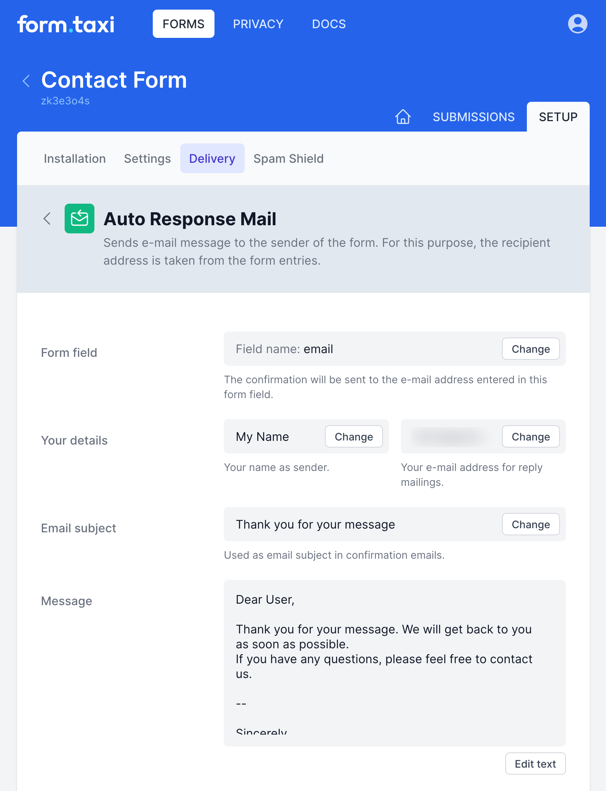
The settings for Auto Response Mails can be adjusted in the Delivery Settings of the form connection.
Form field
Reply emails are sent to the email address the user entered in the form. For Form.taxi to find this address in the form data, the name of the form field where the address is entered must be defined here in the settings.
When a form is submitted, Form.taxi searches the submitted form data for the defined form field and an entered email address. If a valid address is found in this field, the reply email is sent to that address.
TIP
When entering the field name, ensure it is spelled correctly, including capitalization.
Your details
In the sender information, enter the name that should appear as the sender in reply emails. You also enter an email address here that will be used as the recipient address when replying to those emails.
Message
You can insert any text for autoresponse emails into the message. This content will be sent as plain text, without formatting (such as HTML markup).