
WhatsApp Delivery
Form.taxi's WhatsApp integration allows form submissions to be sent directly to any mobile phone number via WhatsApp. This enables new form submissions to be received in real time and read immediately on a smartphone, without requiring access to emails or the Form.taxi panel.
Setup
To set up form delivery via WhatsApp, you only need to activate the corresponding delivery function and enter the recipient's number.
INFO
This delivery feature is available starting with the plan Standard. » Our plans
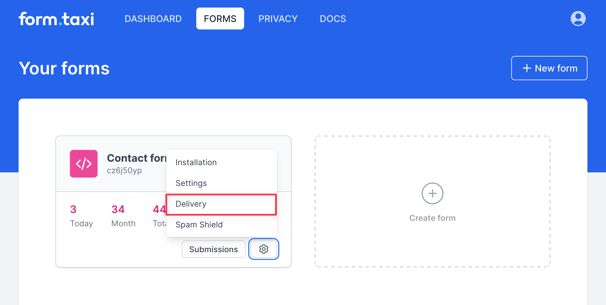
- Open the form's delivery settings. List of your forms
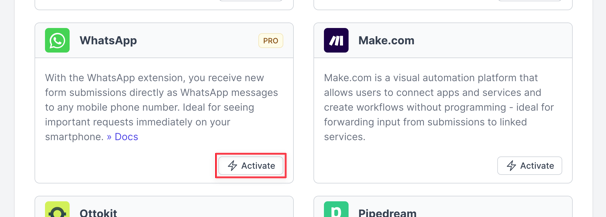
- Activate the "WhatsApp" delivery feature.
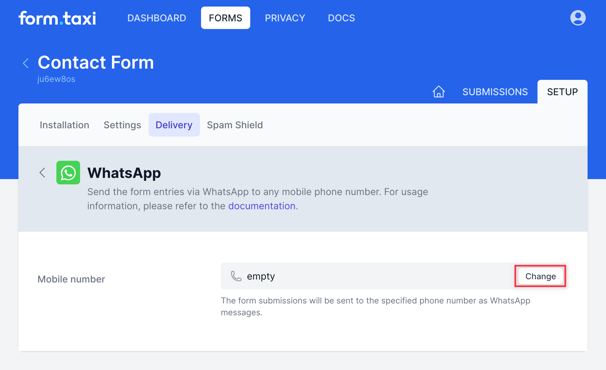
- Enter the recipient's mobile phone number in the WhatsApp settings.
- Activation of the WhatsApp chat by the recipient
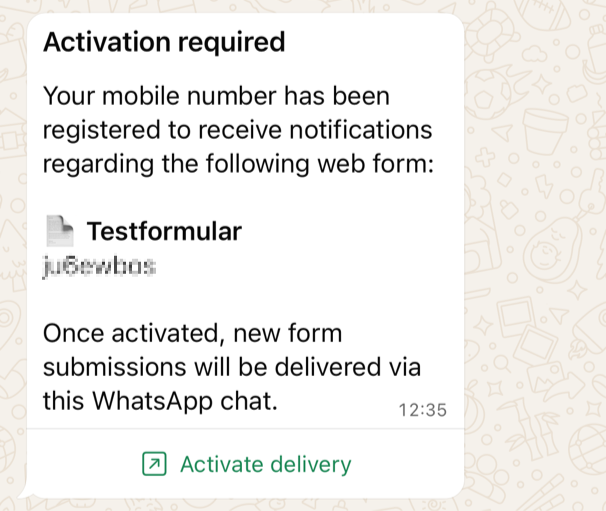
After entering the recipient's phone number, an automated WhatsApp message will be sent to that number. This message contains an activation link, which the recipient can use to confirm and activate the delivery. This activation is legally required and is documented for data protection reasons.
Delivery
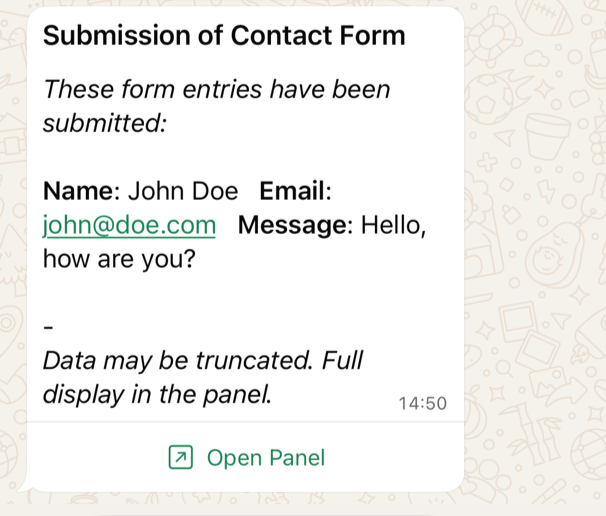
Immediately upon receipt of a new form submission, a WhatsApp message is sent to the recipient's phone number. The form entries are included in this message. Due to technical limitations on WhatsApp, the entries are summarized and may be truncated before transmission. For a complete and clear view, the message can be opened via a link in the panel.
File attachments
Attached files such as photos or documents will also be delivered as WhatsApp messages.